Launch your own movies and TV shows app in 4 steps with CinePrime
From logo to first customer: how a CinePrime rebrand goes live on Fire TV, Android TV and phones, with your own panel, QR sign-in and a one-time $60 price.
Selling a movies and TV shows app under your own name used to mean hiring a developer, renting servers and waiting months. A CinePrime rebrand skips most of that: you bring the brand, we deliver the signed app and a ready panel. Here is how it goes, step by step.
What you get
| Piece | What it is |
|---|---|
| The app | Movies and TV shows for Fire TV, Android TV and phones, with your name, logo and accent color |
| Your panel | A web panel with your users, devices, branding and app updates |
| A signed APK | Ready to install on a Fire TV Stick, an Android TV box or a phone |
| The price | One-time $60, no monthly app fees |
Step 1. Your brand
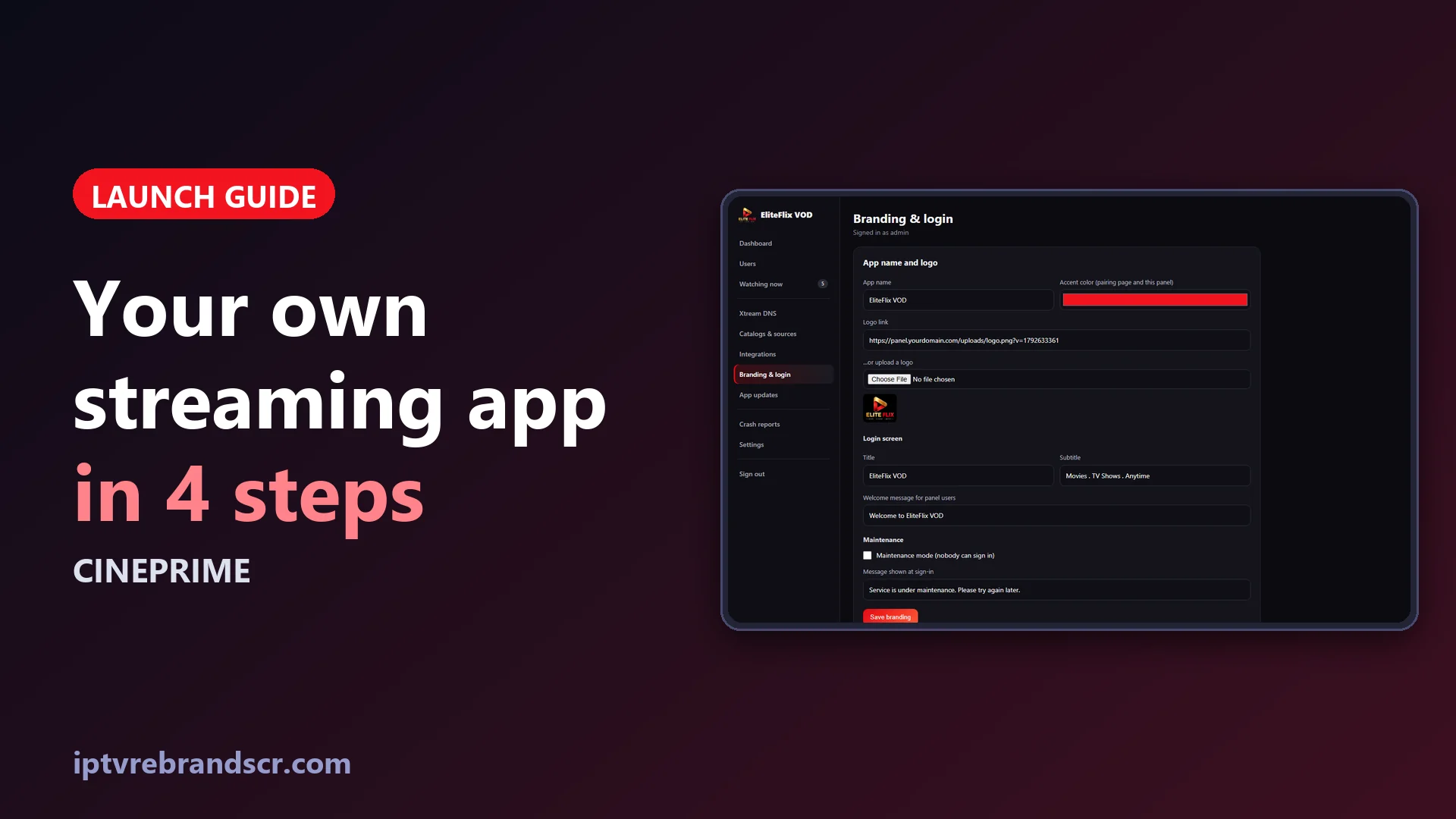
Send us your app name, logo and accent color. The app gets its name, launcher icon, TV banner and start screen, and the panel gets the same logo and color, so what your customers see and what you see match.
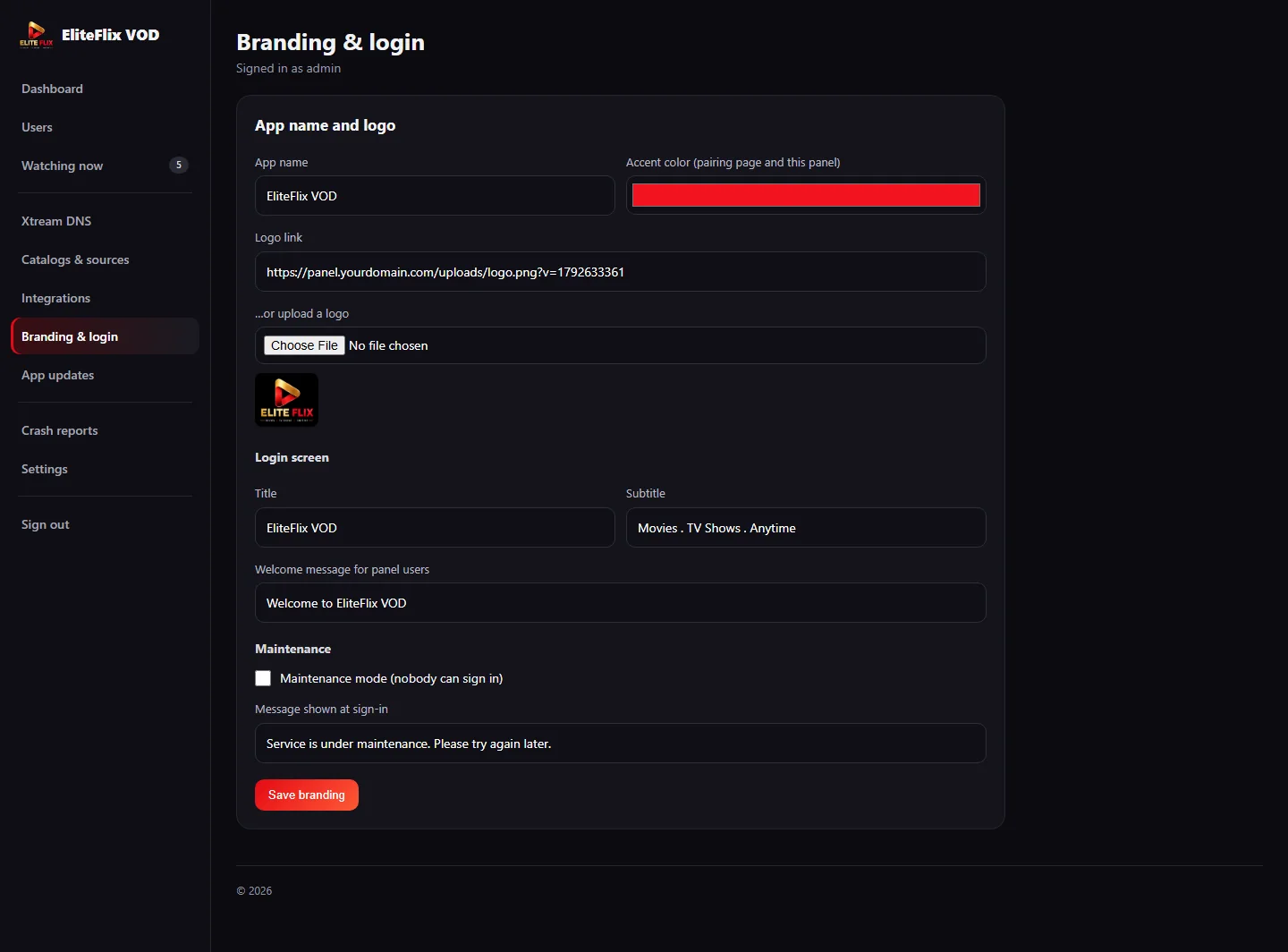
Later you can change the app name, the logo, the accent color and the sign-in texts yourself from Branding & login, and switch on maintenance mode with your own message.
Step 2. Your panel
Your panel is installed on your own address and works from day one: a dashboard with the screens playing right now, a Users page, Watching now, Catalogs & sources for Stremio add-ons, Integrations, App updates and Settings with backup and restore.
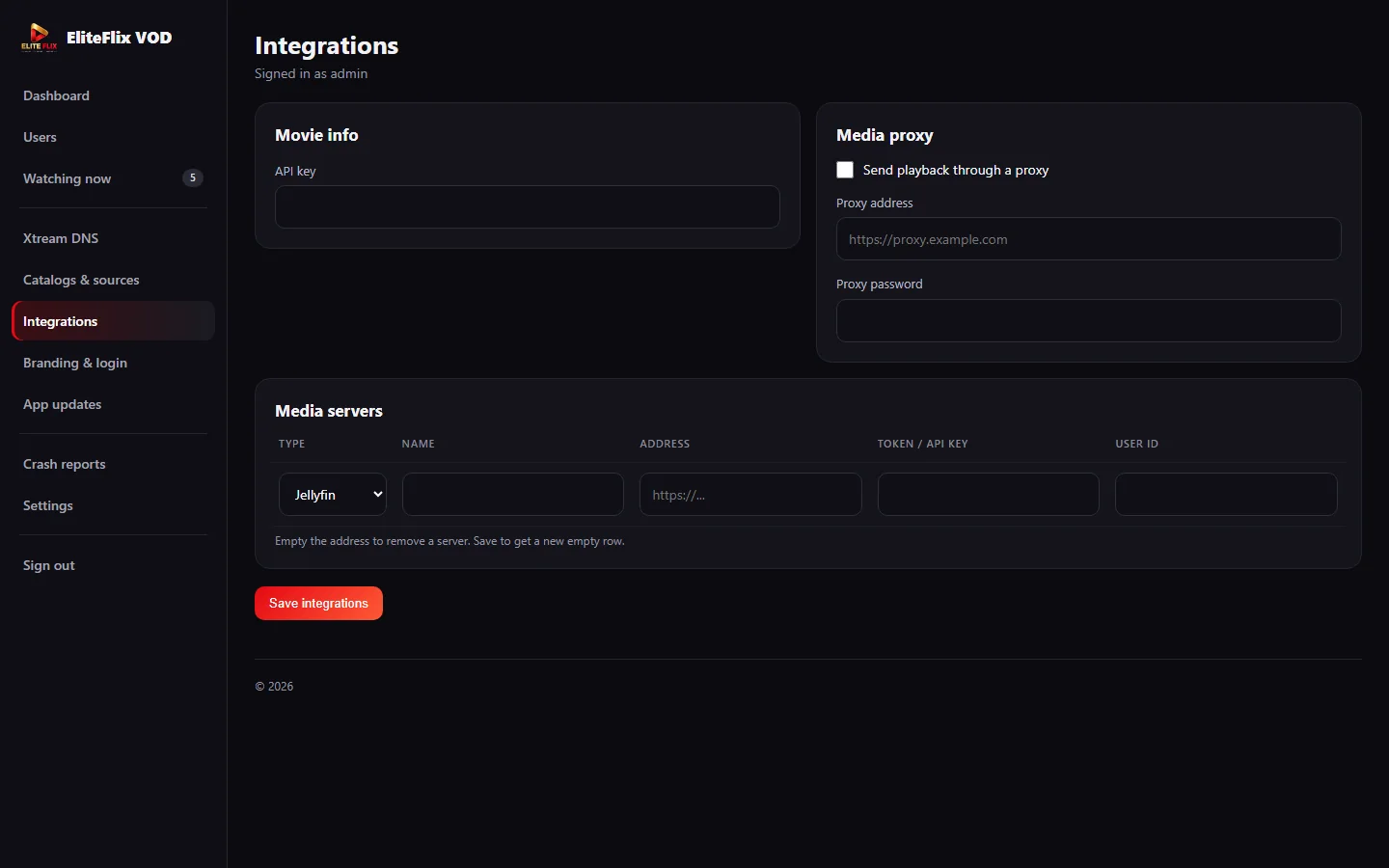
In Integrations you can connect Jellyfin, Emby or Plex servers and send playback through a media proxy. In Catalogs & sources you paste the link of a Stremio add-on, and its catalogs become rows on the home screen while its streams are added to each title. Add-ons configured with a debrid service such as Real-Debrid play like any other direct link.
Step 3. Your signed APK
You receive the APK signed for your own package name. Install it on a Fire TV Stick or an Android TV box and open it: the app connects to your panel on the first launch. We pre-approve your package for you. If you ever change it, the panel asks you to approve the new one once, so only your build can talk to your panel.
Step 4. Your first customers
Create a user with an expiry date and the number of screens, then hand over the username and password. On the TV, customers can type them or scan the QR code on the sign-in screen and finish on their phone.
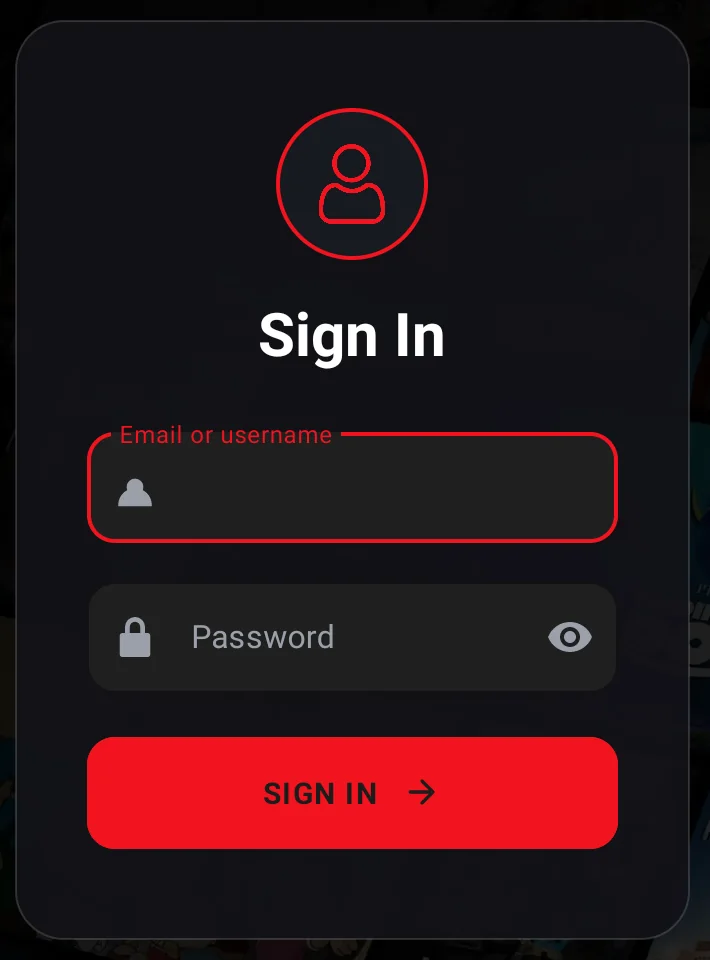
After that each customer picks a profile and starts browsing. You see them in Watching now, and you can extend or disable accounts from Users at any time.
Price and what to know
CinePrime is a one-time $60 purchase with no monthly app fees. It is software: you choose what you offer your customers and you are responsible for that content. Read the CinePrime page for the full feature list, take the panel tour, or compare it with Streamflix if you also want resellers, credits and free updates.