QR Login, Stalker, activation codes and VPN in TiviMate Ultra
A closer look at the access tools inside TiviMate Ultra Sports VPN: local-network QR Login, Xtream, Stalker/MAC, code activation and panel-managed VPN profiles.
A premium IPTV player needs more than a polished home screen. Providers serve different devices, use different authentication systems and need a practical way to activate customers without exposing internal configuration.
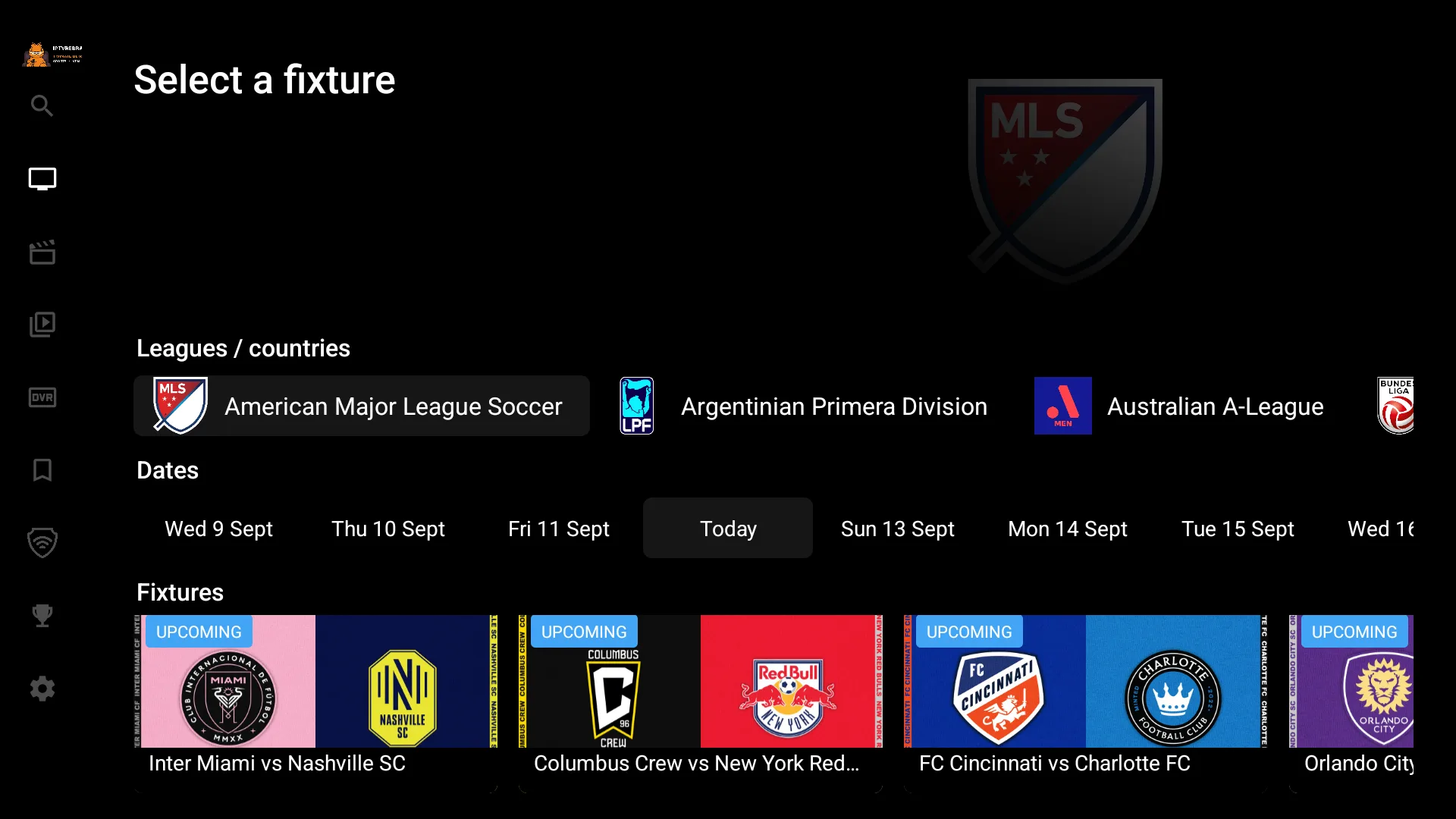
TIVIMATE ULTRA SPORTS VPN brings those access methods together in one rebranded TiviMate 5.3.3 experience: QR Login on the local network, Xtream Codes, Stalker Portal with MAC authentication, activation codes and an integrated VPN selector.
QR Login on the same local network
Entering long usernames, passwords and service details with a TV remote is slow and error-prone. QR Login provides a more comfortable setup path.
The TV displays a QR code. The customer scans it with a phone connected to the same local network as the Android TV, Fire TV or TV box. The setup can then be completed from the phone instead of typing every field with directional keys.
This is especially useful for living-room devices, where the player is controlled from a remote and text entry is the least convenient part of onboarding.
The local-network requirement also gives the flow a clear scope: the phone assists the device that is present on the same network rather than acting as a general public login page.
Activation by code
The app can also be activated through a device code. The code shown by the player is handled from the web panel, allowing the operator to approve and configure the device without asking the customer to enter backend URLs.
Code activation is useful when the provider wants a controlled onboarding process. The panel remains the operational center, while the customer works with a short code displayed on the TV.
For resellers, this creates a cleaner support flow: identify the device, process its activation and keep the service configuration on the administrative side.
Xtream Codes for familiar username-and-password access
Xtream Codes remains one of the most familiar login methods for IPTV customers. TiviMate Ultra supports the conventional username-and-password flow while allowing the operator to distribute the available DNS or server configuration from the panel.
The end user receives a straightforward login experience. The provider keeps control of the server entries and can deliver the app already connected to the correct branded environment.
Stalker Portal and MAC authentication
Not every service uses Xtream. Stalker Portal support gives the app another important connection path, including MAC-based authentication for portal deployments.
That makes the build suitable for providers with mixed infrastructure or customers migrating from set-top-box workflows. Xtream and Stalker can live inside the same branded player instead of requiring a separate app for each access model.
VPN inside the player
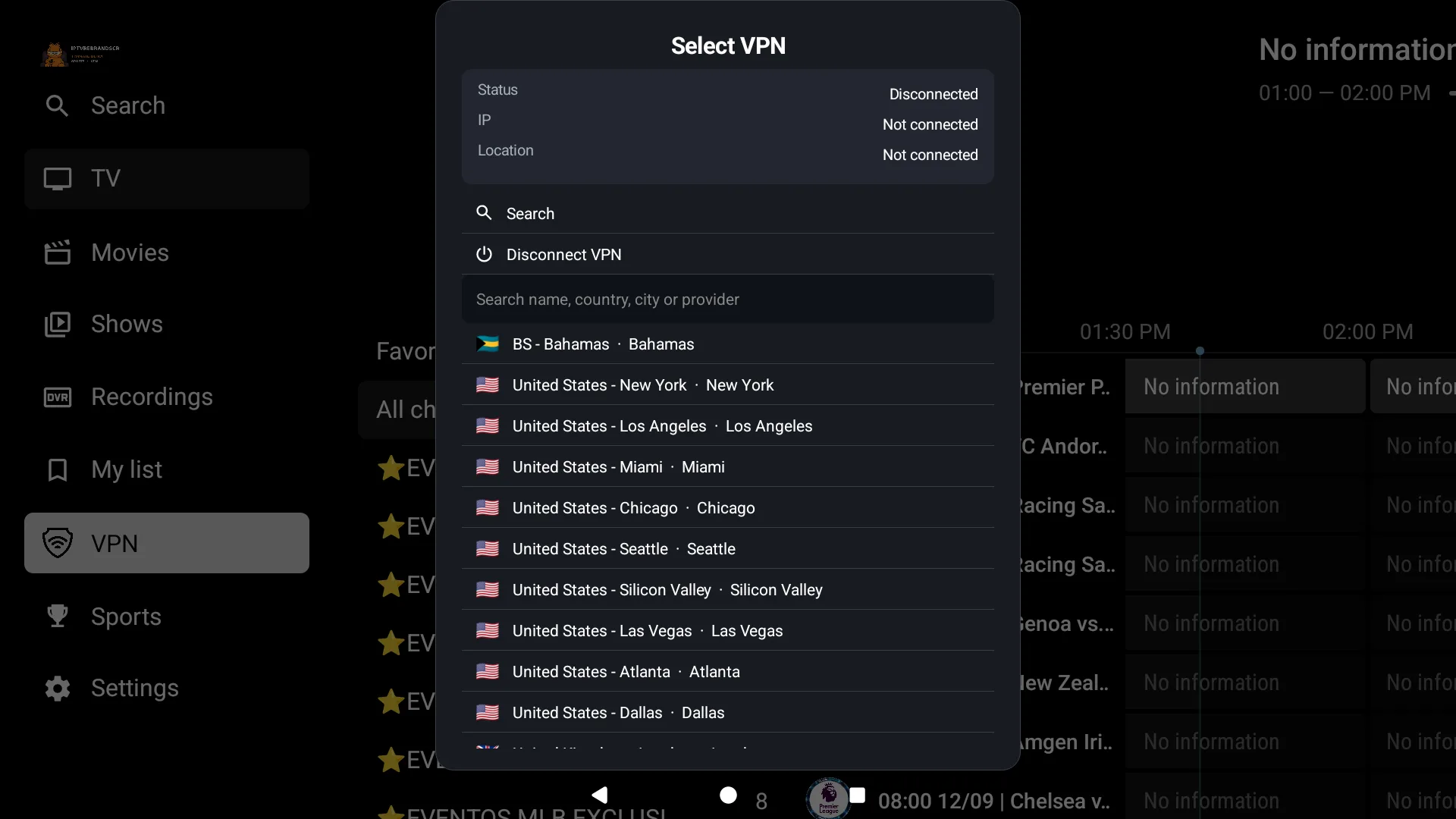
The VPN selector is part of the TiviMate interface. Users can browse the OpenVPN profiles made available by the operator and choose a location without leaving the player or installing a second VPN application.
Profiles, locations and VPN credentials are managed from the web panel. This separation keeps routine administration on the server side while presenting a simple selection screen on the TV.
The VPN module is an integration layer: the operator supplies and maintains the profiles and valid credentials for the VPN provider they choose.
One panel for the operational controls
The dedicated panel brings together the configuration that should not be hard-coded into a customer-facing screen:
- DNS and server entries.
- Device activations.
- Sports configuration.
- VPN profiles and credentials.
- App and panel branding.
The app connects to a private branded panel URL. Customers interact with the player, while the operator manages the service behind it.
A unique package for every serious rebrand
The delivery includes a unique Android package name, not only a changed logo. That detail lets the rebranded build install alongside other TiviMate variants without replacing them.
Name, icon, banner, welcome screen and side-menu identity can all carry the provider brand. The panel is rebranded as well, so the complete delivery belongs to the same product identity.
The complete access stack
QR Login is the convenient TV setup option. Activation codes give the operator a controlled approval path. Xtream covers familiar account access. Stalker/MAC supports portal environments. The built-in VPN selector keeps profile choice inside the player.
Together, those features make TIVIMATE ULTRA SPORTS VPN more than a visual reskin. It is a panel-connected player designed around the real onboarding and administration needs of an IPTV provider.