One APK for phone and Fire TV: layout, add-ons, debrid and cloud sync in Streamflix
Streamflix ships one APK for TV and phones, with Stremio add-ons, debrid services, profiles and favorites kept in the customer's account on every device.
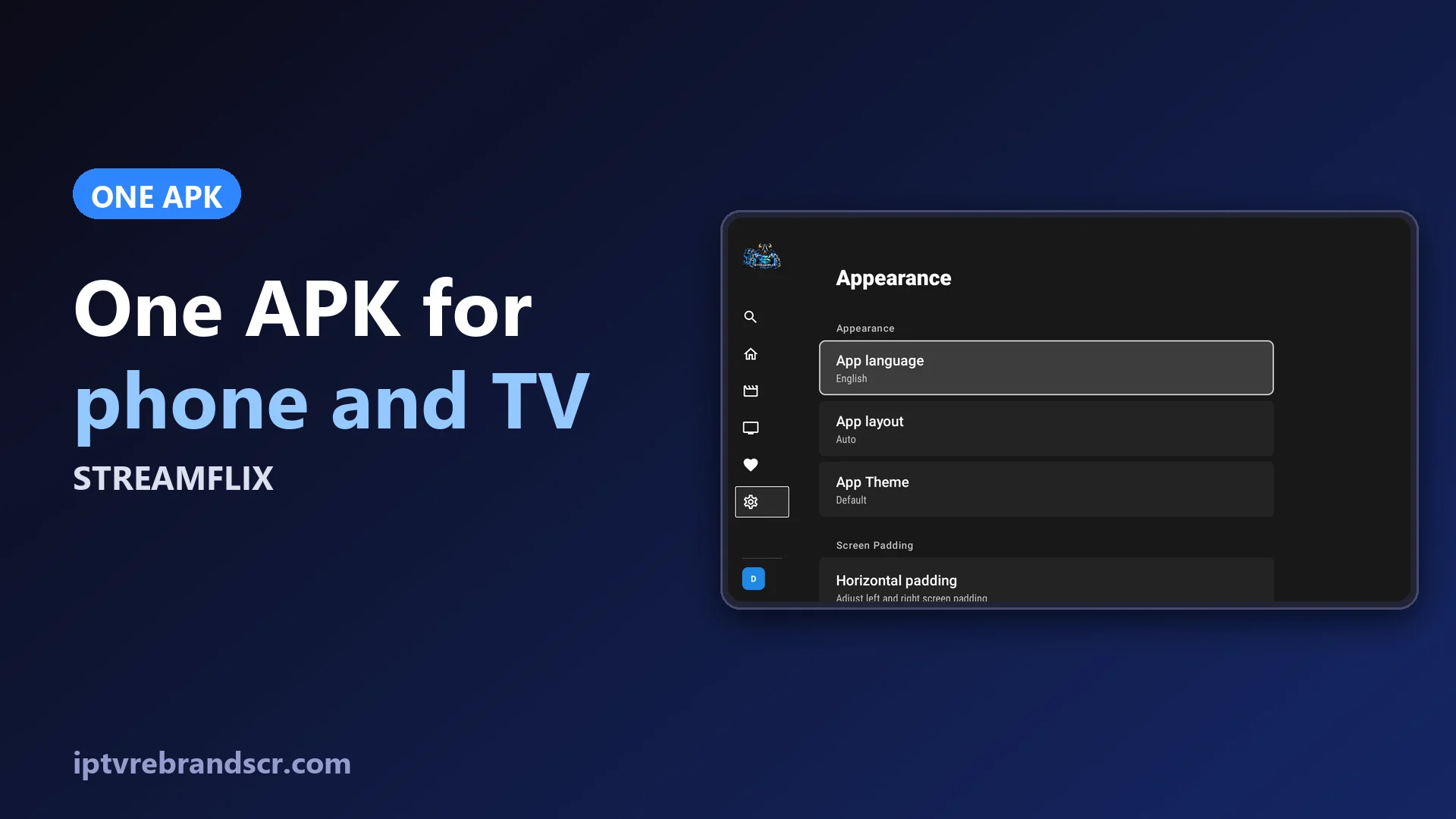
You should not have to maintain one app for the phone and another for the TV. Streamflix ships one APK that adapts to the device, and keeps what each customer watches in their account, so the evening started on the TV can continue on the phone.
Auto, Mobile or TV
By default the layout is Auto: on an Android TV or Fire TV the app shows the side menu built for the remote, and on a phone it shows the touch interface. Some generic Android boxes do not declare themselves as TVs. For those, the customer opens Settings → Appearance → App layout and picks TV, and the change applies at once.
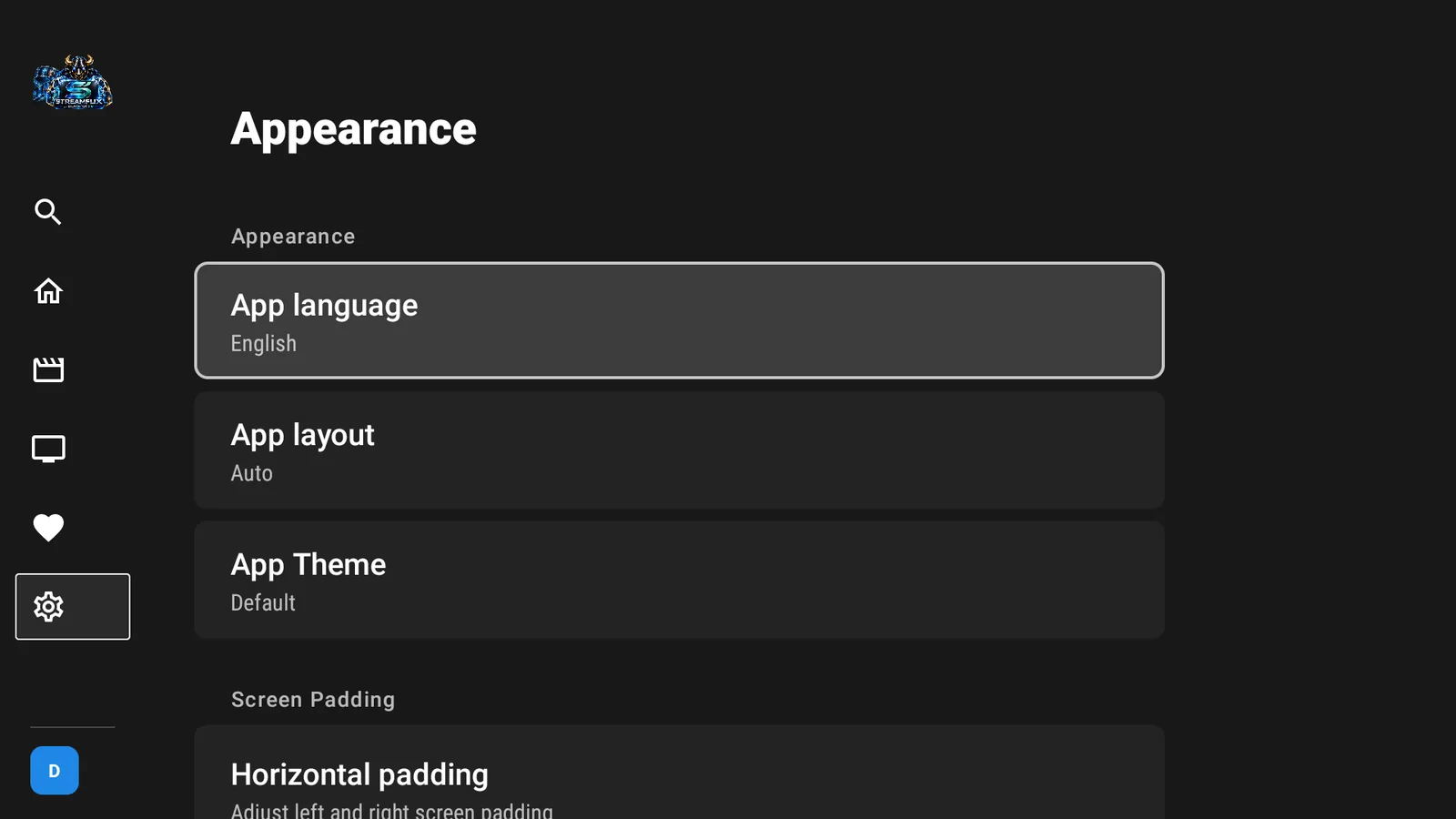
The same page has the app language and the theme. The catalog follows the app language: the app in English shows English titles and descriptions, and the same goes for Spanish, French, German and Italian.
Profiles and settings in one place
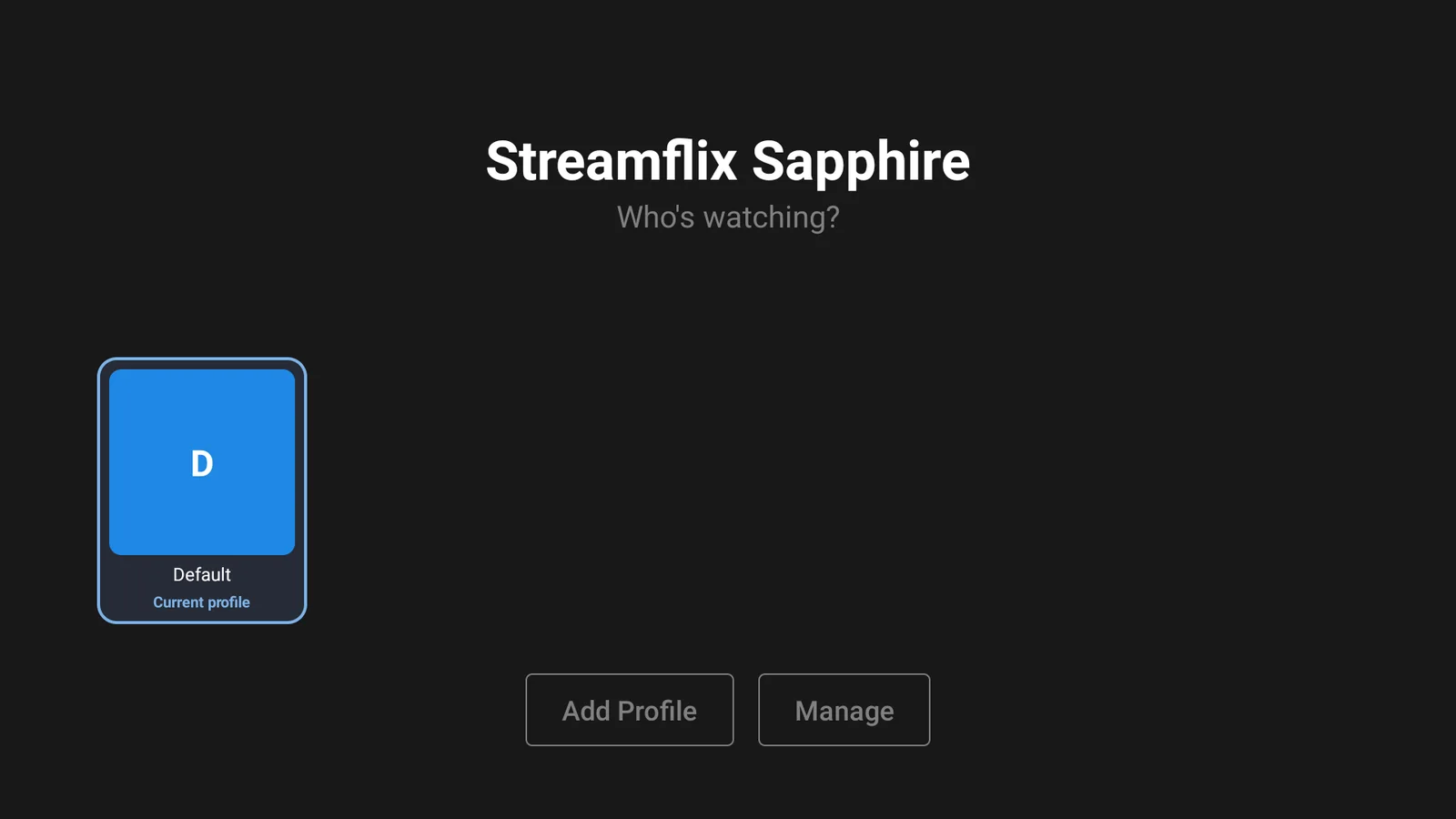
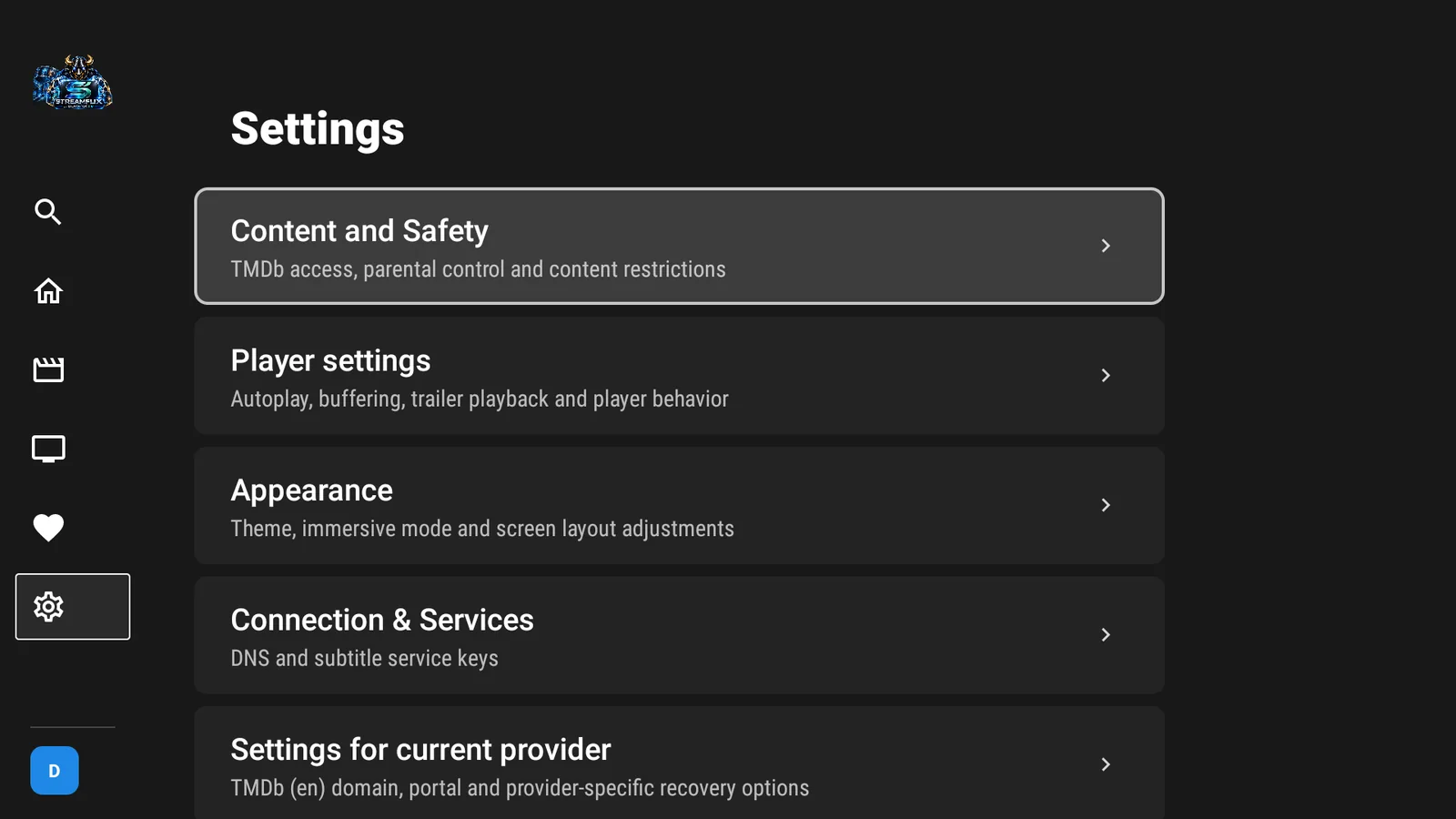
The profile picker opens when the app starts, and the settings are grouped by purpose: Content and Safety, Player settings, Appearance, Connection & Services, Profiles and Account & sync.
Favorites and history in the cloud
In a Streamflix brand with a panel, favorites, what a customer has watched and their playback position are saved in their panel account. Nothing else to configure and no second sign-in: the panel session is the account, and any device that signs in with it sees the same lists.
- Up to 8 profiles sync per account; they are linked by name the first time they sync.
- The app syncs changes when you make them and checks for news about every 45 seconds while it is open.
- If two devices change the same title, the most recent change wins.
- With no connection, changes wait in a queue and upload later.
- Settings → Account & sync shows the status and a Sync now button.
Add-ons, debrid and server order
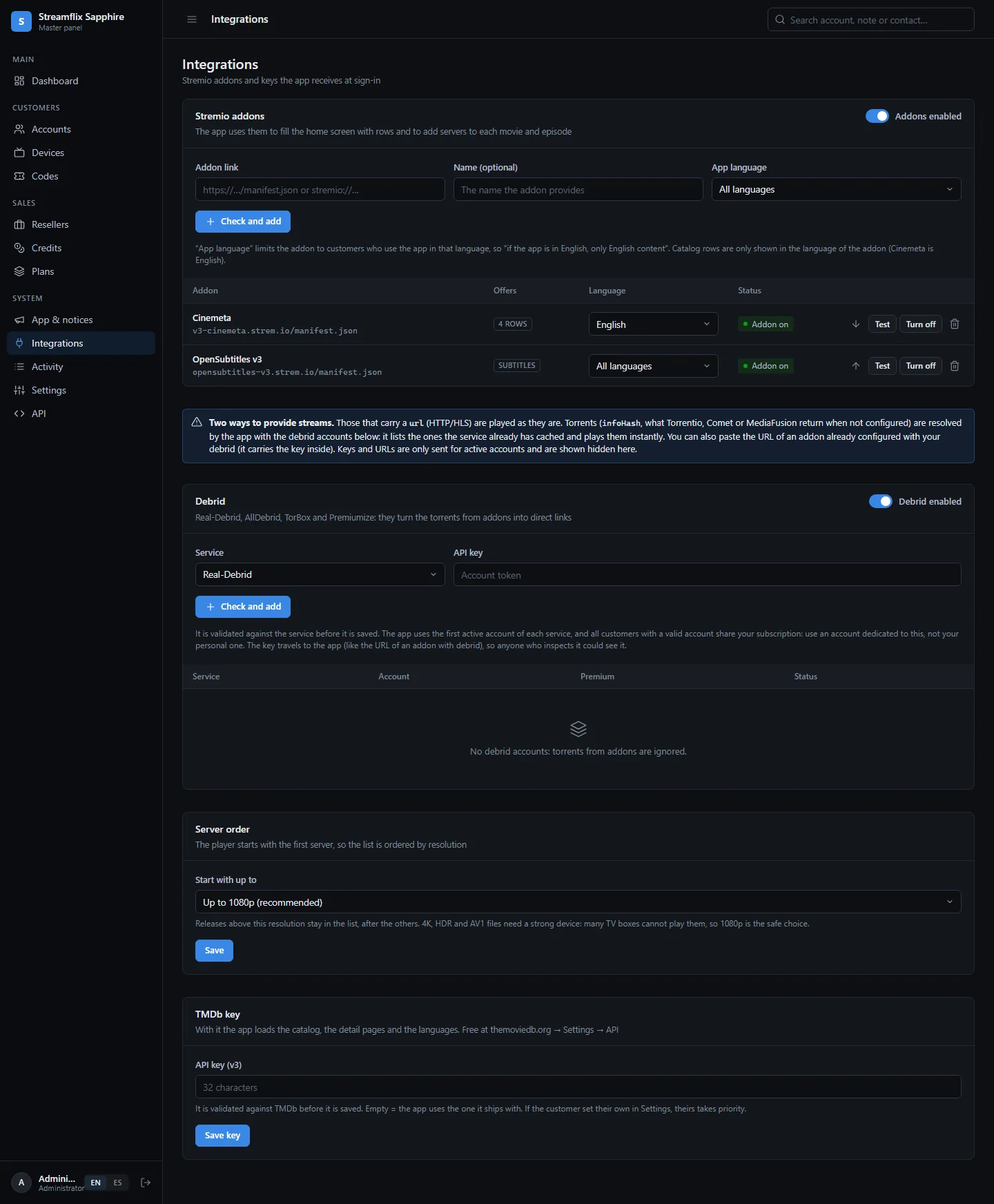
In Integrations you paste the manifest link of a Stremio add-on and the panel validates it before saving. What the add-on offers is used automatically:
- Catalogs become rows on the home screen (up to 6 catalogs per add-on and 20 titles per row). Each title is matched with TMDb, so details, favorites and history work as everywhere else in the app.
- Streams are added as servers at the top of each movie or episode, named Add-on · quality · file. Streams that carry a direct link play as they are.
- Subtitles from subtitle add-ons, such as OpenSubtitles, are added to those servers: up to 6 in the app language and 3 in English.
For add-ons that return torrents, you connect Real-Debrid, AllDebrid, TorBox or Premiumize in the Debrid card. The key is validated against the service before it is saved. The app takes the best torrents by quality and seeds and only asks the service for the direct link when the customer picks one. AllDebrid, TorBox and Premiumize can be checked ahead of time, so results already cached are marked with ⚡ and start instantly; Real-Debrid results are tried when chosen. Every customer with a valid account shares your debrid subscription, so use an account dedicated to your brand.
Server order decides where the list starts: up to 1080p by default, or up to 4K. Many TV boxes cannot decode 4K AV1 or HEVC 10-bit files, so the safe default keeps compatible releases first. An add-on can be limited to one language, so a customer using the app in English only sees English add-ons. You add, reorder and switch off add-ons at any time, and your TMDb key lives on the same page. All of it changes without publishing a new APK.
Devices stay under control
Each account has a device limit, shown in the panel as for example 2/2. A session that disappears, because the app was reinstalled or a TV was reset, does not sign out by itself. So when an account is full and a new device signs in, the panel first frees the seats nobody uses: devices not seen for 30 days and the same model on the same network that has been idle for more than 5 minutes. It never removes a device used in the last 5 minutes.
Price
Streamflix is a one-time $70 purchase, with free updates included. See the Streamflix page for the full list, or compare it with CinePrime, a $60 option with a panel focused on users, expiry dates and screens.